Enhancements to Folio Drag and Drop Functionality
Stay is enhanced to preserve both the transaction posted date and the accounting date when users drag and drop charges between folios. This ensures financial accuracy for back‑office accounting while maintaining the correct service date on guest‑facing folios.
Enhanced Behaviour
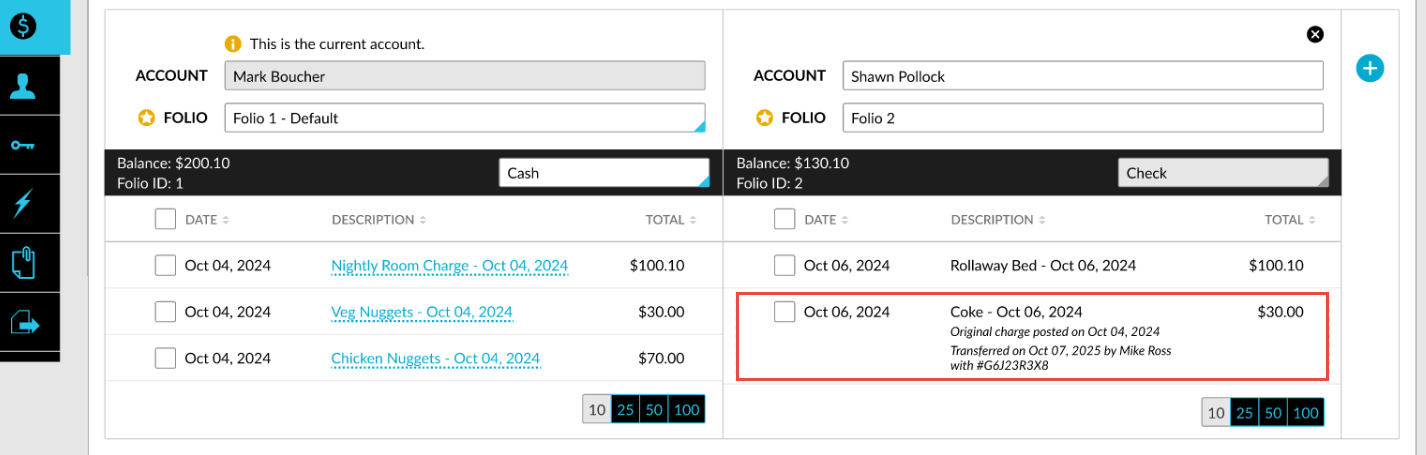
When a charge is dragged from one folio to another, Stay now stores the following dates:
-
Transaction Posted Date: The date when the charge was originally posted.
-
Accounting Date: The date when the charge is transferred.
Once the transfer is completed:
-
The folio displays the charge under the Accounting Date (transfer date).
-
The Transaction Posted Date is retained for printing and emailing the folios.
The guest folios will always display the transaction posted date, ensuring that guests see the actual date when the charge was posted.
For example, consider the following charges posted to the reservation folios on various dates:
Folio 1 (Before Transfer):
-
10 Jan - Coke - $10
-
11 Jan - Breakfast - $30
Folio 2 (Before Transfer):
-
10 Jan - Spa - $100
When users drag and drop charges from folio 1 to folio 2 on Jan 15th, the following dates will be displayed in the UI for folio 2:
|
Accounting Date |
Transaction |
Amount |
|---|---|---|
|
10th Jan |
Spa |
$100 |
|
15th Jan |
Coke (posted on 10 Jan) |
$10 |
|
15th Jan |
Breakfast (posted on 11 Jan) |
$30 |
When folio 2 is printed, the originally posted date will be displayed as follows:
-
10 Jan - Coke - $10
-
11 Jan - Breakfast - $30
-
10 Jan - Spa - $100
Template Updates
The following templates that display transaction dates will be updated to display the transaction posted date:
-
Reservation Folio
-
Group Folio
-
House Account Folio
-
Proforma Folio
-
VAT Invoice Folio
-
Zero Balance Folio